Your bank feed, always up to date
Connect your bank account once and let transactions flow in automatically, ready to match against invoices and expenses.
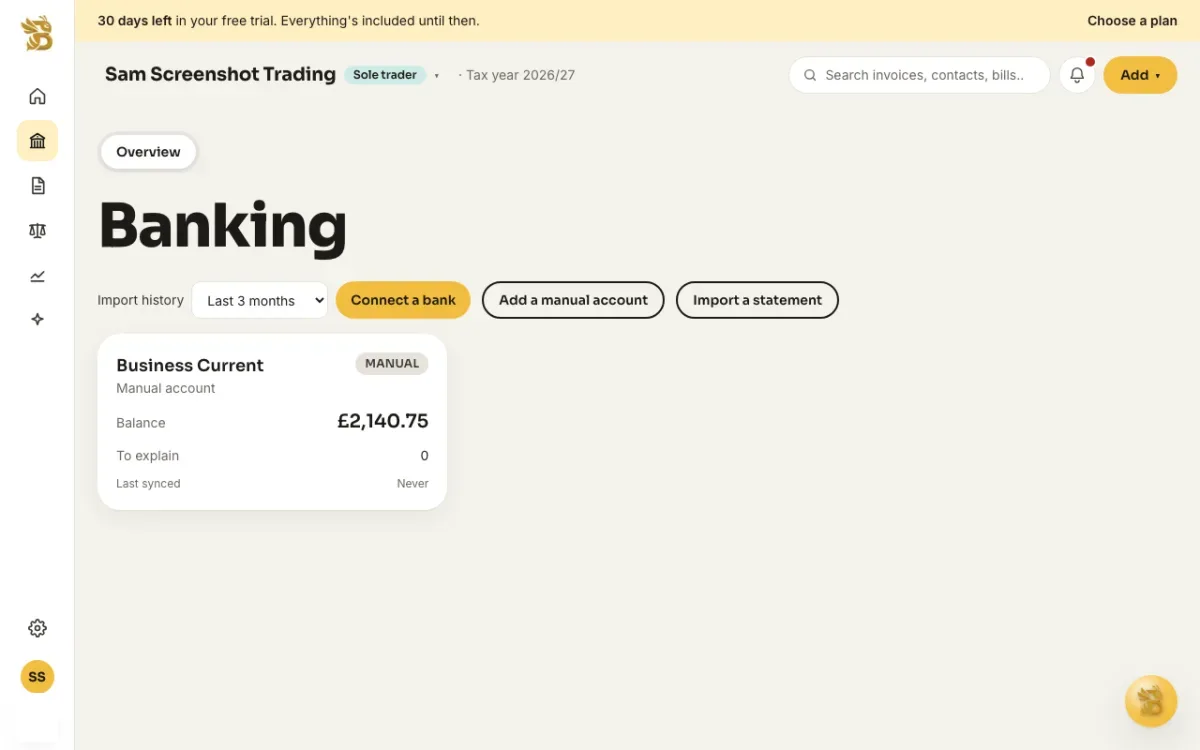
Connect your bank securely, or import a statement
Connect through Open Banking and your transactions arrive automatically, encrypted in transit and at rest; BusyBee Hub never sees or stores your online banking password. Not ready to connect, or using a bank Open Banking doesn't cover yet? Upload a CSV export, or a PDF statement for our AI to read, and the same transactions land in the same feed either way.
Explained once, ruled forever
BusyBee Hub suggests a match
The invoice, bill or expense it looks like, or a category if there's nothing to match.
You confirm it
One click, and it's explained.
Turn it into a rule
Same payee, same category, and the next one like it needs no confirming at all.
Need the how-to?
Step-by-step: connecting a bank through Open Banking, or importing a CSV or PDF statement instead.
Read: Connect your bankTry BusyBee Hub free for 30 days. No card required.
Try for free